
Point of sale
Sell faster at the counter.
The SalesCenta POS app runs on iPad. Tap products into the cart, take cash, card machine or transfer, and every sale lands in the same orders and stock as your website.
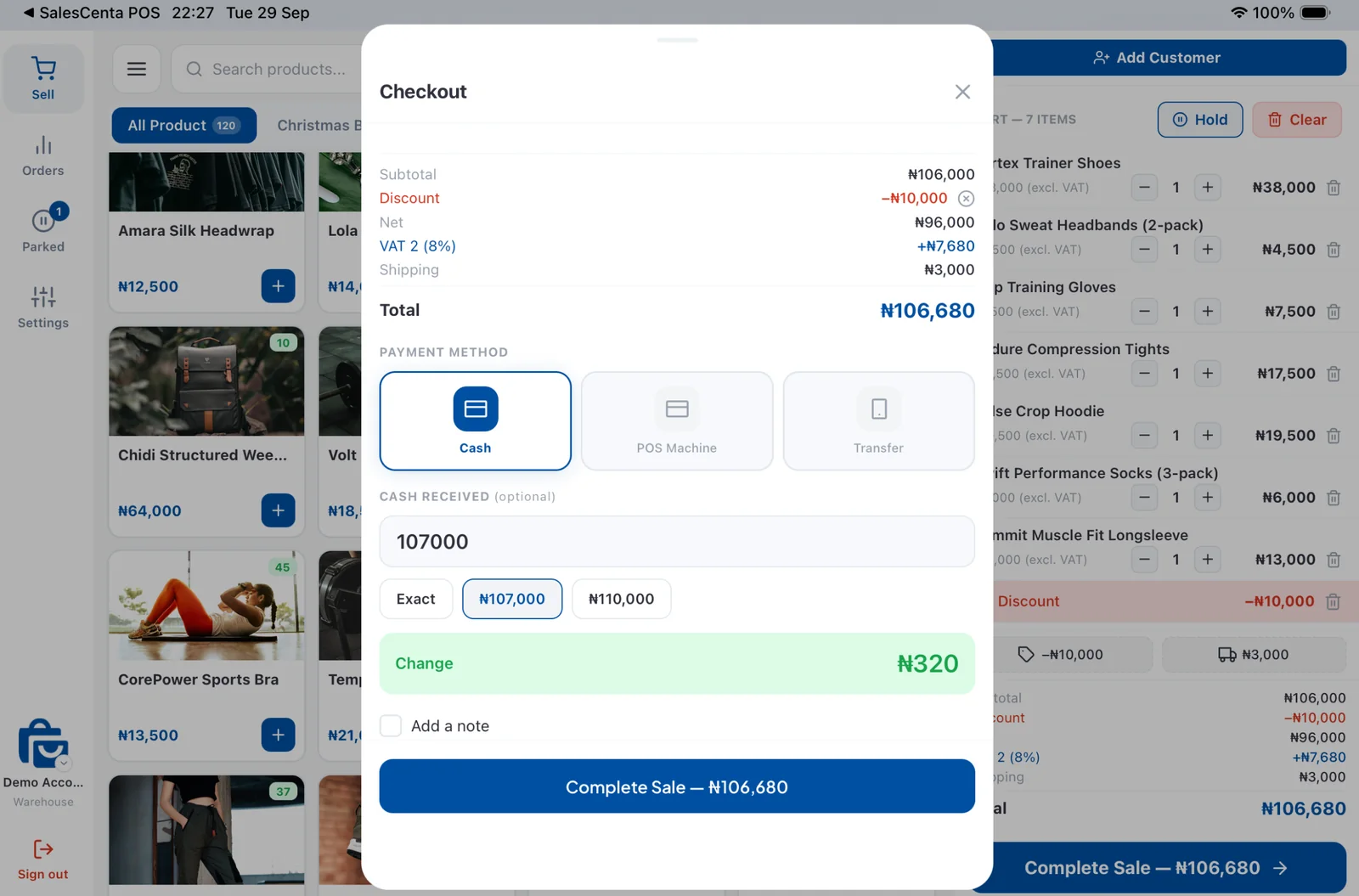
Checkout
Cash, card machine or transfer.
Pick how the customer is paying and the change is worked out for you. Your bank details show up for transfers, and you can add a note or a customer to any sale.
- Change worked out
- Bank details for transfers
- Discounts and VAT
- Add a customer
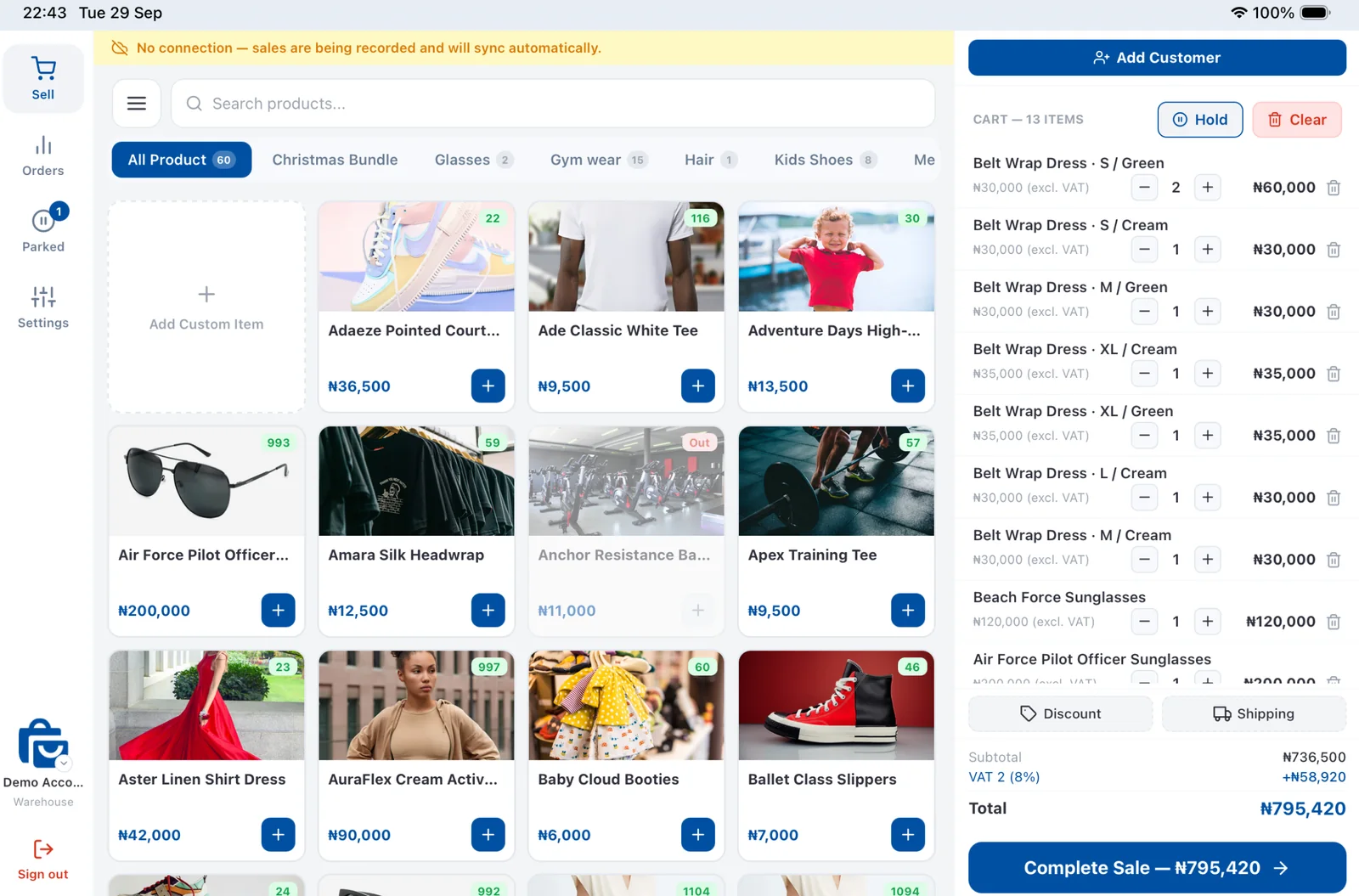
Offline
Keeps selling when the internet drops.
Sales are saved on the iPad and sync when you're back online, so a bad connection never stops the queue.
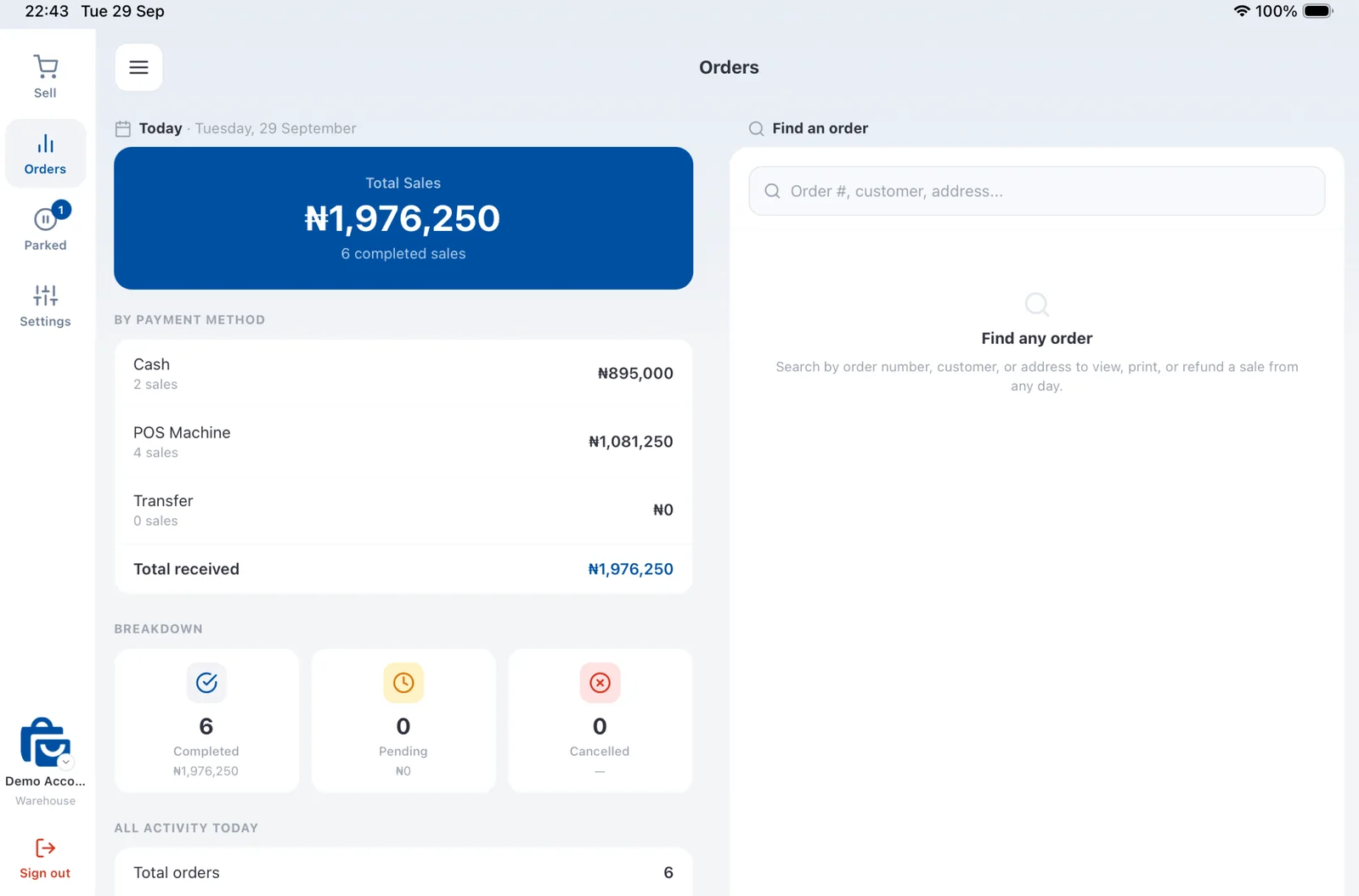
End of day
Close the day in one look.
Today's total split by cash, POS machine and transfer, with completed, pending and cancelled sales, and every order searchable by number, customer or address.
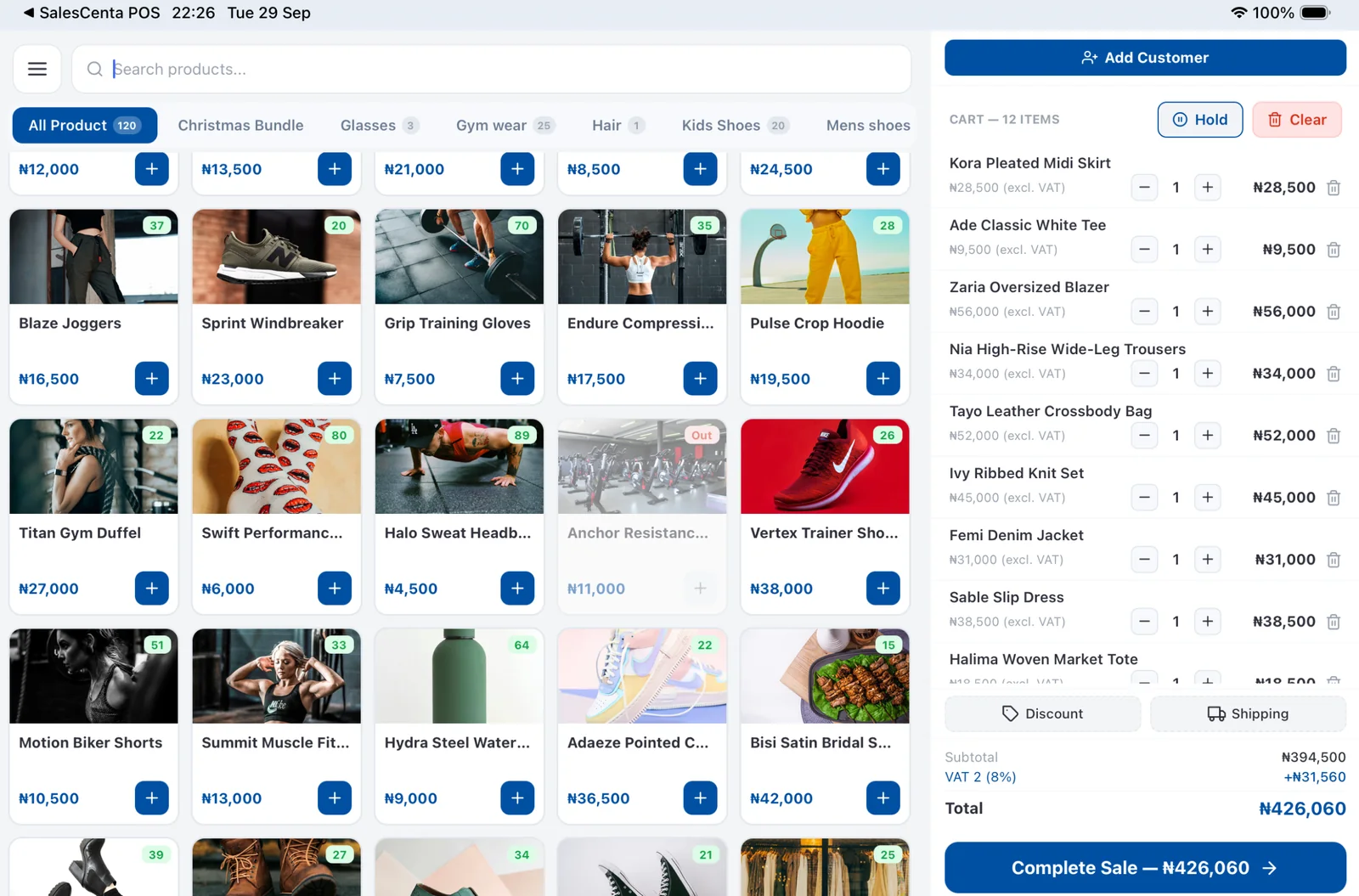
Also included
The details that make it work.
Park a sale
Hold a cart, serve the next customer, and pick it up again later.
Every store and location
Switch store or location from the till; stock comes off the right shelf.
Email receipts
Send the customer a receipt by email at checkout.
Find any product
Search the catalogue or browse by collection, with prices and stock on every tile.
Customers at the till
Attach a customer to a sale so it shows in their history.
One stock count
Walk-in sales draw from the same stock as your website and WhatsApp orders.
Questions
Good to know.
Which devices does the POS app run on?
The SalesCenta POS app runs on iPad, in landscape.
Does it work without internet?
Yes. Sales are saved on the iPad while you're offline and sync once the connection is back.
Can I take card payments?
Take card payments on your own POS machine and record them as card at checkout, alongside cash and transfer.
Start selling in minutes.
Add your products, connect Paystack and share your store link on WhatsApp.
14 days free. No card required.